



 Hotline
 Lublin
City
Bike
The city bike is becoming another urban means of transport. The maintenance-free 4th generation city bike system is operated by MPK Lublin. All bikes have been equipped with on-board Smart-Lock computers that allow for return both at stations and return zones. We have designed the system so that registration, rental and return are as simple as possible and facilitate moving around the city. The Lublin City Bike has also been integrated with the Lubik City Card to enable cycling on preferential terms.
See tariff
QUICK START
Step 3
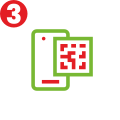
Launch the app and scan the QR code on the back of the bike. The rear wheel clamp will open automatically
Step 4
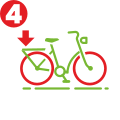
After the ride, leave the bike in any station and close the rear wheel clamp

TARIFF (price brutto)
Registration fee PLN 10
Check the full LRM price list
1
pln

od 0-30 minutes
0.50
pln
od 31-60 minutes
1
pln
next hour
300
pln
Over 24h
Mobile
APP
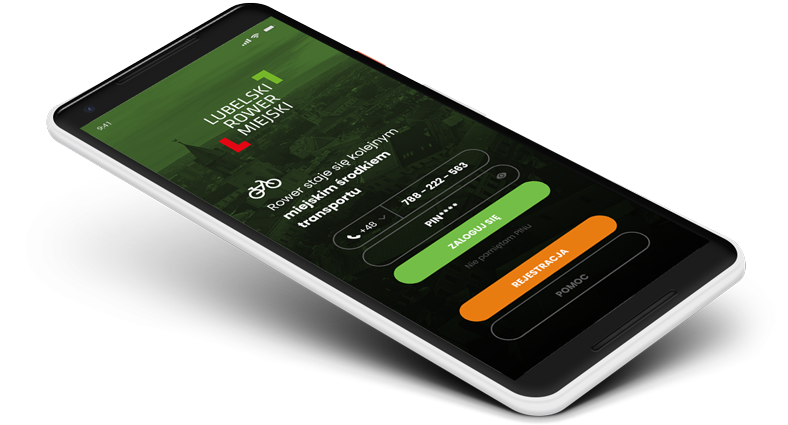
A full set of tools to facilitate the use of the Lublin City Bike on your smartphone


Download it from Google Play or AppStore - register, top up, locate stations, check the status of bikes at stations and account balance, book and rent as easily as possible.
After the ride, rate your rental by giving it the appropriate number of stars.
How it works?


Quick start
-
Register via the mobile application or at lubelskirower.pl. If you register via the mobile application, fill in all your data - they are necessary to top up your account. If you are registering via the website, click the activation link that you will receive in the registration e-mail.
-
Log in to your account in the application or on the lubelskirower.pl website and make a transfer of at least PLN 10 (having a balance of PLN 1 is the amount necessary to rent a bike. If the balance is lower - the rental will not be possible).
-
You can rent a bike by scanning the QR code in the application located at the back of the bike standing in the station or return zone.
-
You can return the bike by placing it in a selected position in one of the 129 stations of the Lublin City Bike and close the Smart O-Lock clamp with a decisive movement. You will hear two beeps. The bike will be automatically returned, and your application will receive a notification about the correct return. If the bike has not been returned - refresh your application (return sometimes takes up to 60 seconds).
-
If all stands in the station are full, place the bike as close as possible to the stand in the selected station and close the Smart Lock clamp. If you return outside a designated station, an additional fee may apply.

Bike rental
-
Download the Lublin City Bike application from Google Play or AppStore, register and pay the registration fee - minimum PLN 10.
-
Select Rent a bike and scan the QR code on the back of the bike in the app. Wait about 3-5 seconds for the Smart O-Lock on the rear wheel to open.
-
Download the selected bike from the station and enjoy riding the Lublin City Bike.

Bike return
-
Put your bike in a selected position at any station or return zone of the Lublin City Bike.
-
Close the Smart Lock clamp located at the rear of the bicycle. Wait for two beeps.
The system will automatically recognize the return of the bike.
If you make a return outside the station or the System's operating zone, an additional fee may be charged.
-
When the station is full, leave the bike as close to the selected station as possible. The system will automatically recognize the return of the bike. If you make a return too far from the station, an additional fee of PLN 50 may be charged.
 FAQ
FAQ
BASICS
PAYMENTS
TOP-UP the ACCOUNT
Bike rental
CITY CARD and LRM PREFERENTIAL PRICES
- What can I do to pay less for using the LRM system?
- What should I do if I have a valid season ticket, but I do not have the Lublin City Card?
- What should I do if I have the Lublin City Card?
- How to get the right to cheaper tickets?
- What is the order in which the minutes packages owned by the User are used?
In case of any questions or problems related to the Lublin City Bike, please contact our 24/7 hotline at 814774774
We wish you pleasant and safe use of the Lublin City Bike
What to do to be able to ride an LRM bike?
Register via the Lublin City Bike mobile application available on Google Play and the App Store or at lubelskirower.pl
check your e-mail and click on the activation link received in the e-mail (if you register from the website. Also check the SPAM folder where our e-mails sometimes "fall in")
top up your account in the application or on the website with the amount of at least PLN 10 (registration fee). If you want to ride the bike longer without worrying about running out of funds for the next rentals. If you want to rent more than 1 bike - top up your account with a larger amount, e.g. PLN 20. This will allow you to rent up to 4 bicycles
go to the nearest station, select a bike and scan the QR code on the back of the bike
The phone number and PIN are used to rent a bike in the application and to log in to the website. Remember to use the number in the format 48 xxx xxx xxx
Login and password are used to log in to the user panel via lubelskirower.pl
Do not use the password and PIN code interchangeably to log in to your account on the website
Registration without access to the Internet is possible in one of 15 terminals. Bicycle rental without internet access also. It is important to remember your login details - phone number and PIN
Bikes are available 24 hours a day, 7 days a week during the bicycle season - from May 1 to November 30, 2023.
We suggest not to exceed the maximum statutory rental time - 24 hours. After exceeding this time, an additional fee of PLN 300 may be charged
You can rent up to 4 bikes, provided that you have sufficient funds on your account in the system:
- 1 bike - PLN 1
- 2 bicycles - PLN 2
- 3 bicycles - PLN 3
- 4 bikes - PLN 4
- LRM registration fee - PLN 10
- 0 - 30 minutes - PLN 1
- 31 - 60 minutes - PLN 0.50
- Each subsequent hour PLN 1
- The maximum number of bikes that can be rented by one user - 4 bikes
- (to rent 4 bikes, you must have PLN 1 on your account for each bike)
- Bike reservation up to 30 minutes - PLN 1
- The minimum amount necessary to rent a bike - PLN 1
- Fee for returning the bike outside the parking zone - PLN 50
- Fee for removing a non-regulated bike lock - PLN 200
- Fee for returning the bike outside the LRM zone - PLN 200
The maximum time of renting a bike is 24 hours* exceeding it means imposing an additional fee of PLN 300
The cost of restoring a standard bicycle is PLN 3,000.
You can top up your account in the mobile application or by logging into your account in the LRM System. Payments can be made via Przelewy24.pl instant payments, credit card, Apple Pay or Google Pay
Log in to your account in the system or to the mobile application and click the ACCOUNT FUNDING tab.
Select the top-up amount. The system will automatically redirect you to the Przelewy24.pl system where you can choose from many types of payments. After the transaction is completed and the account is topped up, the system will transfer you back to your account. Check that the account balance matches the top-up amount
You can do it using the mobile application or at the station terminal in one of the 15 stations equipped with terminals
Rental using the mobile application:
- download the Lublin City Bike app from Google Play or the App Store
- when logging in, enter your phone number with the prefix 48 xxx xxx xxx and PIN
- scan the QR code located at the back of the bike using the Rent a Bike option in the mobile application
- wait a few seconds for the bike to communicate with the server (usually it takes 3 to 5 seconds)
- the Smart Lock clamp will be released, you will hear a characteristic crack and a double beep
- download the selected bike from the rack and enjoy riding the Lublin City Bike
You can return the bike in the following way:
Put your bike in a selected position at any station of the Lublin City Bike
Firmly close the Smart Lock clamp located at the rear of the bicycle. The system will automatically recognize the return of the bike. If you make a return outside the station, an additional fee of PLN 50 may be charged
When the station is full, leave the bike as close to the selected station as possible. The system will automatically recognize the return of the bike. If you return outside the station, an additional fee may apply
You can return the bike at any station operating in the Lublin City Bike System. To find the nearest one, use the mobile application or website where the nearest stations and available bikes are visible on the map
If you have a valid public transport season ticket on the day of renting a bike, you can use the 30-minute LRM ride for free.
If, after 30 free minutes, you want to continue using the bike and you have a valid Lubelska Karta Miejska tag, you can buy minutes as part of a cheaper subscription dedicated to LKM holders or pay for the ride with the funds accumulated on your account as part of a dedicated price list. Remember that free minutes can only be used on a given day and they do not carry over to the next period. Any unused items are forfeited. Every day your season ticket is valid, you get 30 free minutes a day.
If you have a valid public transport season ticket on the day of renting a bike, you can use the 30-minute LRM ride for free.
If, after 30 free minutes, you want to continue using the bike, buy minutes under the standard LRM subscription or pay for the ride with the funds accumulated on your account under the standard price list. Remember that free minutes can only be used on a given day and they do not carry over to the next period. Any unused items are forfeited. Every day your season ticket is valid, you get 30 free minutes a day
If you have a valid Lublin City Card tag, you can buy minutes in the LRM system as part of a cheaper subscription dedicated to LKM holders or pay for the journey with the funds accumulated on your account under a dedicated price list.
All you have to do is enter the number of your carrier from the Lubika public transport system in the LRM system or its dedicated application (the number of the Lubika card or mobile application). Then the system will automatically verify whether you have a season ticket and/or LKM tag and whether you are entitled to free minutes and a cheaper subscription.
If you have a season ticket and free minutes - the package of 30 free minutes from the ticket will be used first.
If you decide to purchase a subscription, the minutes available in it will be used after exceeding the daily package of 30 free minutes from the season ticket. After exhausting the minutes available under the purchased subscription, the fare will be charged from the funds accumulated on the account.
Use another bike available at the station. Contact our hotline as soon as possible at +48 814 774 774 or report a failure via the mobile application in the HELP tab
You can return the bike at any station operating in the LRM system. To find the nearest one, use the mobile application and select the option - Find Station/Map or go to the nearest station and put the bike in a free position. If all stands are occupied, park the bike closest to the station and close the Smart Lock clamp with a firm movement
If you notice that the bike is damaged in any way (lack of air, broken or loose chain, damaged lighting, blocked Smart Lock clamp or any other defect), please contact our Hotline at +48 814 774 774 or report a failure in the mobile application
Walk him to the nearest station and inform the Hotline about his malfunction. You can also report a failure via the mobile application
Select the Delete account option in the mobile application by clicking on your login details or select the Delete account option in the Profile tab on the website of the LRM System user
Remember that you cannot have any rentals on your account, and your account balance must be 0. For refunds, contact BOK
Send us an e-mail to bok@lubelskirower.pl, providing full personal data, account number (unused funds will be returned) and a declaration of willingness to delete the account